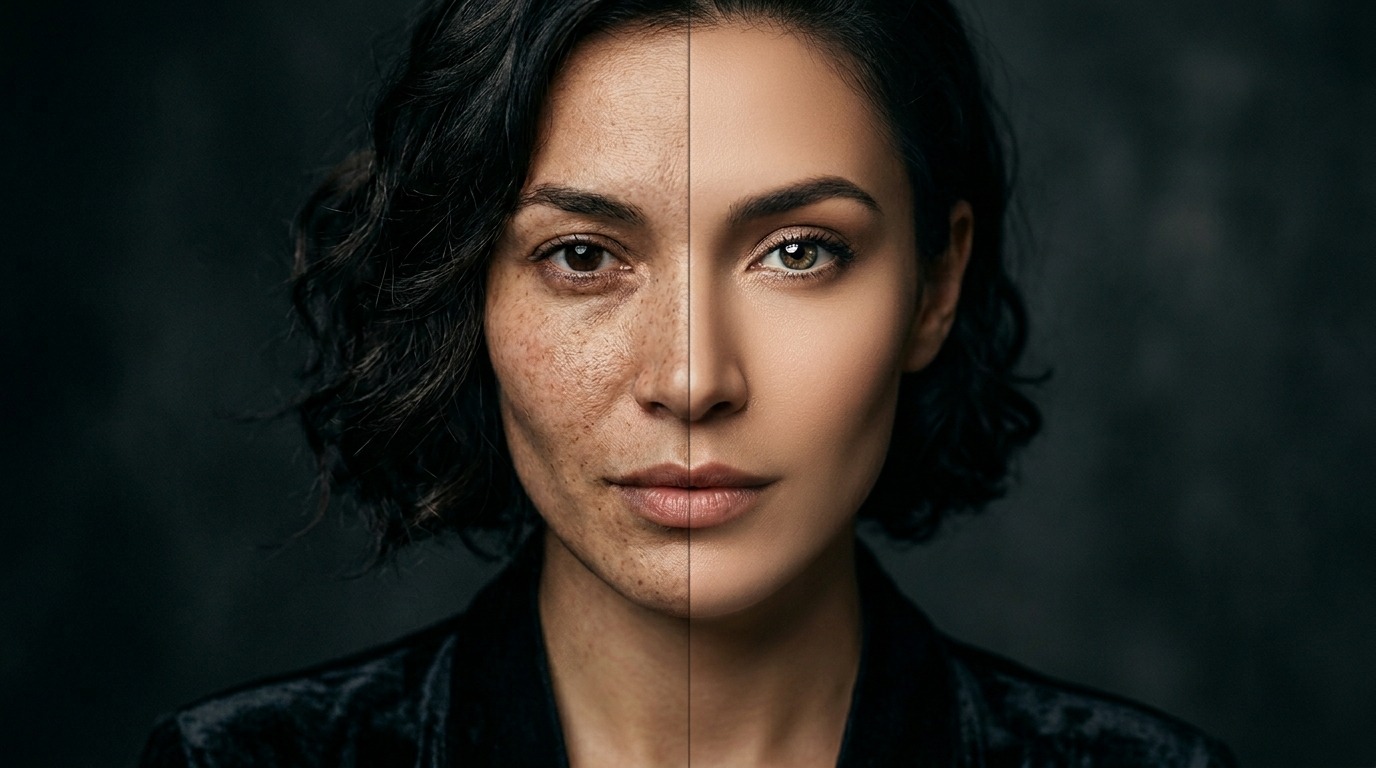
Top 7 Free AI Photo Retouching Tools in 2026
1. Photoshop Generative Fill: 30-day Adobe trial gives full access, AI-powered object removal and content-aware fill. 2. Luminar Neo (trial + extensions): 30-day free trial, AI sky replacement and skin smoothing. 3. Pixlr AI: Browser-based free editor, AI retouch, background and upscaling — no signup required. 4. Fotor AI: Free tier offers one-click portrait and product retouching, watermark-free. 5. Remini: Mobile-first, champion at restoring old/blurry photos — 5 free daily generations. 6. Cutout.pro: Background removal + portrait retouch, free tier sufficient for most needs. 7. Krea Enhance / Magnific demo: Demo limits for ultra high-resolution upscaling — creative team favorite.
Quality Comparison: Same Portrait, 5 Outputs
Brief: "Studio portrait, preserve natural skin texture, lively eyes, clean background". Photoshop Generative Fill: Perfect control, composition editable — 9/10. Luminar Neo: Skin gets too soft, sometimes "plastic" — 7.5/10. Remini: Detail and sharpness champion but aggressive sharpening — 7/10. Fotor: Speed good, naturalness reasonable — 7/10. Pixlr AI: Fast social media retouch sufficient — 6.5/10. For professional work Photoshop is still unrivaled #1; in the free tier, Remini stands out for speed + quality combination.
Commercial Use & Copyright
Photoshop Generative Fill: Full commercial license, Adobe Stock guarantee. Luminar Neo: Free trial is commercial-use compatible, check license terms. Pixlr, Fotor: Free tier is watermark-free, commercial use permitted but upgrade for major brand campaigns. Remini: Uses facial recognition — check personal data implications (GDPR/CCPA). Cutout.pro: Free outputs are commercially usable. General rule: For client campaign retouching, use a well-documented tool (Photoshop, Luminar); for social media quick retouch, free tier is enough.
Which Tool For Which Type of Retouching?
Portrait skin + tone retouching: Photoshop Generative Fill, Luminar Neo. Old/blurry photo restoration: Remini (mobile), Topaz Photo AI (paid but has trial). Product photo background cleanup: Cutout.pro, Pixlr AI. Eyes, teeth, makeup retouching: Fotor AI, FaceApp (mobile). Resolution upscaling: Krea Enhance, Magnific demo, Topaz. Most professional workflows combine 2-3 tools: First-pass automated retouching, then Photoshop for manual fine-tuning.
Signals to Upgrade From Free to Paid
You need professional license if: (1) You retouch 20+ portraits weekly — daily limits will hit. (2) Client demands high resolution (300 DPI print). (3) Brand skin tone/character consistency required — need Photoshop preset library. (4) You start from RAW files — Lightroom + Photoshop workflow. (5) Faces need commercial publishing rights — model release + privacy compliance. At this stage, Adobe Creative Cloud Photography ($9.99/mo), Luminar Neo ($79 lifetime), or Topaz Photo AI ($199) is the right investment.
After Seeing the Limits of Free Tools
Free AI retouching tools are great for fast social content — but in production work, skin naturalness, brand consistency, and copyright security become critical. At PAM Istanbul, we manage the entire process from shooting to post-production: right capture lighting + minimal AI retouch = the most natural result. We build sustainable retouching workflows aligned with your brand visual language.
Let's make this together.
We've produced commercials and photography since 2018; over the last 3 years we've integrated AI retouching into our workflow. We mentor your team while we produce: transparent process, natural results, brand consistency. Let's build your photo production and AI retouching workflow together.
Email: [email protected]
Phone: +90 530 267 49 29
Studio: Yayıncılar Sok. 10/3, Seyrantepe · İstanbul